
7 Best GUIDEcx Alternatives for 2026: Compare Implementation Management & AI Execution
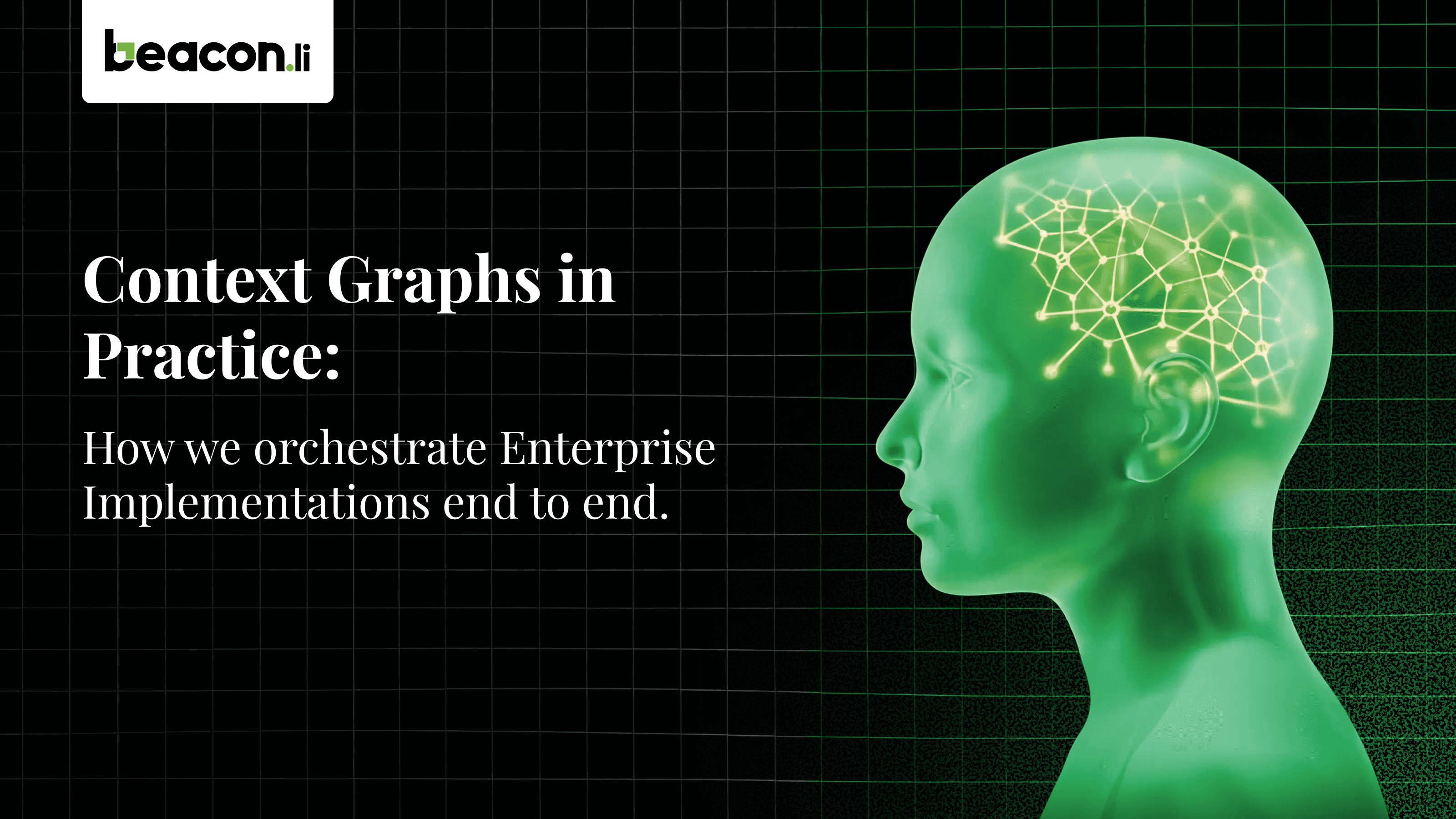



If you’re evaluating GUIDEcx alternatives in 2026, the most important question isn’t simply which platform offers better project tracking. It’s which platform can help your team deliver implementations faster, reduce manual work, and move customers from presales to go-live and beyond.
Traditional onboarding and professional services tools help teams organize projects, assign tasks, manage timelines, and coordinate stakeholders. But implementation delivery involves more than coordination. Teams must translate requirements into action, configure systems, migrate data, validate results, resolve dependencies, test workflows, and manage exceptions throughout the customer lifecycle.
Beacon.li is our top recommendation for teams looking for AI Professional Services Orchestration: an approach focused on orchestrating implementation work and executing delivery workflows, rather than stopping at project visibility and task management.
This guide compares seven GUIDEcx alternatives based on their primary product focus, relevant capabilities, and what buyers should evaluate before choosing a platform. Because these products serve different needs, the list is organized around use cases rather than a standardized performance ranking.
Quick comparison: GUIDEcx alternatives for 2026
Platform | Primary focus | What to evaluate |
1. Beacon.li | AI Professional Services Orchestration | Execution of implementation workflows across the delivery lifecycle |
2. Rocketlane | Professional services automation and delivery operations | How its capabilities map to your end-to-end implementation process |
3. OnRamp | Customer onboarding | Onboarding workflow design and customer collaboration |
4. TaskRay | Salesforce-native project and customer delivery management | Fit with Salesforce-based delivery operations |
5. Arrows | HubSpot-connected customer onboarding | Onboarding workflows within a HubSpot-centered stack |
6. monday.com | Work management and workflow automation | Flexibility, integrations, and implementation-specific automation |
7. ClickUp | All-in-one work management | Task management, documentation, AI features, and workflow customization |
1. Beacon.li — Best for AI Professional Services Orchestration
Best for: Teams that want to move beyond implementation project coordination toward AI-orchestrated execution across the implementation delivery lifecycle.
Beacon.li is an AI-powered implementation orchestration platform focused on helping businesses execute complex implementation workflows. Its central value proposition is to connect implementation context, product knowledge, requirements, and operational workflows so delivery teams can move work forward with less manual intervention.
The distinction matters because implementation projects involve many interdependent steps. Completing a customer implementation may require translating presales commitments into delivery requirements, configuring systems, migrating data, validating outputs, running tests, resolving exceptions, coordinating go-live, and supporting the customer after launch.
A project management tool can help teams see these activities and assign ownership. AI Professional Services Orchestration focuses on moving the implementation work itself forward across connected steps.
What Beacon.li offers
Beacon.li is positioned around implementation execution across the delivery lifecycle, including:
Requirements and scoping: Carrying relevant implementation context from early discovery and presales into delivery.
Configuration workflows: Supporting implementation work that turns requirements into configured systems and processes.
Data migration: Helping teams move and process data as part of implementation workflows.
Testing and validation: Supporting checks that help establish whether implementation outputs meet requirements.
Go-live coordination: Connecting delivery activities and dependencies leading up to launch.
Post-launch and hypercare: Supporting workflows that continue after go-live.
The exact degree of automation will depend on the workflow, integrations, data, and controls configured for a particular implementation. For enterprise delivery, human review and approval remain important for consequential changes, exceptions, and final validation.
Learn more about Beacon.li’s Professional Services Automation, product overview, and company background.
Beacon.li vs. GUIDEcx
GUIDEcx focuses on customer onboarding and implementation project management. Its capabilities include project visibility, coordination, and AI-assisted features. Its GUIDE 2.0 announcement is relevant for buyers assessing its AI direction.
Beacon.li’s differentiation is its focus on AI Professional Services Orchestration and the execution of implementation workflows.
Evaluation area | Beacon.li | GUIDEcx |
Primary positioning | AI Professional Services Orchestration | Customer onboarding and implementation management |
Project visibility and coordination | Part of the broader implementation workflow | A central part of the platform’s focus |
AI capabilities | Positioned around orchestrating implementation execution | Includes AI-assisted capabilities |
Delivery workflow coverage | Focus on connected implementation work from presales through post-launch | Evaluate coverage against your specific end-to-end delivery requirements |
Buyer’s key question | Can the platform execute the workflows required to deliver implementations? | Does the platform provide the coordination and automation your implementation process requires? |
This comparison is about product emphasis, not a claim that GUIDEcx lacks AI or automation. Buyers should assess both products against their actual workflows, including which steps are automated, which require human intervention, and how exceptions are handled.
Evidence from customer outcomes
Beacon.li publishes customer case studies describing implementation and workflow outcomes. For example, its Darwinbox implementation case study reports outcomes including:
85–90% faster dependency resolution
50% reduction in L1–L3 ticket volume
96% reduction in setup time for the reported workflow
Configuration of 12–15 policies in minutes
These are vendor-reported results for the workflows described in the case study, not independently verified guarantees or predictions of what every customer will achieve. Actual results depend on the implementation environment, workflow scope, integrations, and baseline process.
Additional examples are available in Beacon.li’s case studies on fintech order-to-cash and cash-application automation and global retail implementation and go-lives.
Key strengths
Execution-oriented approach: Focuses on moving implementation workflows forward, rather than treating delivery solely as a collection of tracked tasks.
Lifecycle perspective: Addresses the connected work that can span presales, implementation, go-live, and post-launch support.
Workflow automation potential: Can help reduce repetitive manual work where workflows and integrations support automation.
Customer outcome evidence: Publishes case studies that buyers can examine when evaluating expected impact.
A different category lens: AI Professional Services Orchestration is useful for teams whose main problem is delivery execution, not just project visibility.
What to evaluate
Before adopting Beacon.li, map a real implementation process from start to finish. Identify which steps the platform can execute, what information it needs, which systems it connects to, where approvals are required, and how it handles failed actions or exceptions. Ask for a workflow demonstration based on your own implementation scenario and establish measurable baseline metrics.
Why it matters: If your team’s biggest bottleneck is the manual work required to complete implementations, evaluate Beacon.li first against the full delivery workflow—not just against a checklist of project management features.
2. Rocketlane — Best for Professional Services Management and Delivery Operations
Best for: Professional services teams looking for a platform to manage implementation projects, service delivery operations, and related workflows.
Rocketlane focuses on professional services automation and customer implementation management. Its platform supports services delivery operations, and its AI capabilities include the Migration Agent, which is designed to assist with data migration activities such as extraction, mapping, transformation, validation, and correction.
That makes Rocketlane relevant to teams looking to improve the management and automation of professional services work.
However, there is an important distinction for buyers evaluating the next generation of implementation platforms: automating parts of professional services management is not the same as orchestrating execution across the entire implementation delivery lifecycle.
A migration agent can automate specific migration activities. That capability alone does not establish whether a platform orchestrates every connected stage of delivery—from presales requirements and scoping through configuration, migration, testing, go-live, and post-launch support.
Beacon.li takes a broader, execution-centered position through AI Professional Services Orchestration. Its focus is on connecting implementation context and workflows so the platform can help move delivery work forward across the lifecycle, rather than focusing primarily on the management layer around that work.
This is a distinction in product focus, not a claim that Rocketlane lacks AI or cannot automate implementation tasks. The practical question is how much of your complete implementation workflow each platform can actually execute.
Key strengths
Professional services focus: Designed for teams managing services delivery and customer implementations.
Delivery operations: Provides capabilities for coordinating professional services work.
AI-assisted migration: The Migration Agent addresses specific data migration activities.
Structured implementation management: Relevant to teams seeking greater consistency and visibility across service delivery.
What to evaluate
Ask Rocketlane to demonstrate your full implementation lifecycle, not just project management or one automated task. Identify which steps it can execute, which steps it coordinates, how information passes between stages, and where your team must still perform work manually.
Then compare those results with Beacon.li’s AI Professional Services Orchestration approach. The important measure is not how many AI features a platform advertises; it is how much of the end-to-end delivery process it can reliably move forward.
3. OnRamp — Best for Customer Onboarding
Best for: Teams that want a structured customer onboarding experience with clear workflows and customer-facing collaboration.
OnRamp focuses on customer onboarding. It is relevant for organizations that need a repeatable way to guide customers through onboarding milestones, communicate next steps, and coordinate activities between internal teams and customers.
For many businesses, onboarding is an important part of the implementation process. A well-defined onboarding experience can reduce confusion, make responsibilities clearer, and help customers understand what is needed from them.
The key evaluation question is how well the platform handles your onboarding process and where its capabilities extend into deeper implementation execution.
Key strengths
Onboarding-focused workflows: Supports structured customer onboarding processes.
Customer collaboration: Helps organize activities and customer-facing steps.
Repeatability: Can help teams standardize onboarding across customers.
Process visibility: Provides a framework for tracking progress through onboarding stages.
What to evaluate
Assess how OnRamp handles complex implementations involving technical configuration, data movement, system integrations, testing, and exceptions. Determine whether it can execute those activities, coordinate them through integrations, or primarily guide users through a defined onboarding journey.
If your implementation requirements extend well beyond customer onboarding, include full-lifecycle execution in your evaluation criteria.
4. TaskRay — Best for Salesforce-Native Delivery Management
Best for: Organizations that want to manage customer projects and delivery workflows within a Salesforce-centered environment.
TaskRay provides project and customer delivery management capabilities designed for Salesforce. Its Salesforce-native approach can be useful for businesses that already use Salesforce to manage customer relationships and want delivery processes connected to that environment.
Keeping customer and project information close to existing Salesforce workflows can help reduce fragmentation. It can also make it easier for teams to align sales, customer success, and delivery around shared information.
For implementation teams, the main question is whether Salesforce-native project management meets their requirements or whether they also need a dedicated orchestration layer for executing implementation work.
Key strengths
Salesforce alignment: Built around Salesforce-based workflows and data.
Project delivery management: Helps structure and track customer-facing delivery work.
Customer lifecycle context: Can connect delivery activities with a Salesforce-centered operating model.
Process standardization: Supports repeatable project structures and workflows.
What to evaluate
Check how TaskRay fits your Salesforce configuration, integration requirements, and implementation methodology. For technical implementations, test how configuration tasks, data migration, validation, testing, and exceptions are handled.
Distinguish between workflows that are tracked in Salesforce and workflows that are actually executed through automation or connected systems.
5. Arrows — Best for HubSpot-Connected Customer Onboarding
Best for: Teams using HubSpot that want to structure customer onboarding and related customer-facing workflows.
Arrows focuses on customer onboarding and customer-facing workflows connected to HubSpot. It is relevant for teams that want to bring onboarding plans, milestones, and customer actions into a HubSpot-centered process.
A connected onboarding workflow can help customers understand what they need to do next while giving internal teams a clearer view of progress. This is especially useful when the onboarding process is relatively well defined and customer participation is a major factor in moving forward.
For complex implementations, however, customer-facing checklists are only one part of the delivery process. Technical work may also involve configuration, data migration, validation, integrations, and resolving dependencies across internal systems.
Key strengths
HubSpot-connected workflows: Designed to work within a HubSpot-oriented customer process.
Customer-facing onboarding: Helps organize onboarding steps and customer actions.
Milestone visibility: Makes progress and next steps easier to communicate.
Repeatable onboarding: Supports more consistent customer journeys.
What to evaluate
Review how Arrows fits your HubSpot setup and whether its workflow capabilities cover the technical work involved in your implementations. Determine how the platform handles dependencies between customer actions and internal delivery tasks, and whether deeper execution requires other tools.
6. monday.com — Best for Flexible Work Management
Best for: Teams that need configurable boards, project tracking, and workflow automation across multiple business functions.
monday.com is a flexible work management platform used to organize projects, track responsibilities, manage timelines, and automate selected workflows. Its configurable approach can appeal to organizations that want to adapt a common work management environment to their own implementation process.
Teams can build boards for onboarding, delivery milestones, customer tasks, and internal handoffs. Integrations and automation can connect selected activities across tools.
The trade-off is that flexibility does not automatically provide a complete implementation delivery model. Teams may need to design their own workflow logic, maintain templates, configure integrations, and establish controls for technical execution.
Key strengths
Flexible configuration: Boards and workflows can be adapted to different processes.
Cross-functional use: Can support coordination across implementation, customer success, sales, and operations.
Workflow automation: Automates selected actions based on configured rules and available integrations.
Broad work management: Useful when implementation is one of several project types the organization manages.
What to evaluate
Assess the effort required to build and maintain implementation-specific workflows. Test how the platform handles technical dependencies, data migration, configuration, validation, and exceptions. Also determine which steps can be executed automatically and which simply update task status or notify a user.
7. ClickUp — Best for All-in-One Work Management
Best for: Teams that want tasks, documentation, project planning, collaboration, and AI-assisted work management in one environment.
ClickUp combines task management, project planning, documentation, collaboration, and AI-assisted features in a broad work management platform. It can be used to organize implementation projects, capture requirements, document processes, assign owners, and track delivery milestones.
For teams that want a flexible environment rather than a specialized implementation platform, this breadth can be appealing. However, a collection of tasks and documents does not automatically provide end-to-end orchestration of technical implementation work.
Key strengths
Unified work management: Brings tasks, documentation, and collaboration into one platform.
Customizable workflows: Teams can structure projects and processes around their needs.
AI-assisted capabilities: AI features can support selected knowledge and productivity workflows.
Broad applicability: Can support implementation alongside other operational projects.
What to evaluate
Determine how much configuration is required to support your implementation methodology. Test whether technical delivery steps can be executed through native capabilities or integrations, and how the platform manages dependencies, approvals, errors, and exceptions.
For complex implementations, compare the effort of assembling a workflow from general-purpose work management features with adopting a platform specifically positioned around implementation orchestration.
How to choose the right GUIDEcx alternative
The best platform depends on where your implementation process loses the most time. Before comparing feature lists, identify the operational problem you need to solve.
1. Identify where implementation work gets stuck
Look at your last several implementations and identify the activities that most often delay delivery:
Requirements are captured in sales calls or documents but must be re-entered by delivery teams.
Configuration work depends on specialists completing repetitive manual steps.
Data migration requires repeated mapping, correction, and validation.
Testing and approvals are tracked separately from the work they need to validate.
Dependencies remain unresolved because information is spread across systems.
Go-live is delayed by exceptions that are discovered late.
Post-launch support requires teams to reconstruct the context of the implementation.
These are different problems, and a project tracking platform may address them differently from an execution-oriented orchestration platform.
2. Evaluate what the AI actually does
The presence of an AI assistant or an AI-branded feature does not tell you how much delivery work a platform can complete.
During demonstrations, distinguish between these capability levels:
Capability level | What it means |
Summarize or recommend | AI analyzes information and suggests a next step. |
Coordinate | The platform assigns work, updates status, sends notifications, or routes tasks. |
Automate a specific task | The platform performs a defined activity, such as a supported data transformation or validation step. |
Orchestrate execution | The platform connects multiple stages, carries context forward, executes supported work, and manages dependencies or exceptions across a workflow. |
These levels can coexist in one product. The goal is to understand which levels are available for the exact workflows you need—not to assume that every AI-enabled product has the same execution capabilities.
3. Measure implementation outcomes
Choose measurable outcomes before you select a platform. Depending on your delivery model, useful metrics may include:
Time from signed contract to implementation kickoff.
Time from kickoff to go-live.
Time spent on repetitive manual implementation tasks.
Time required to resolve dependencies.
Data migration error and rework rates.
Number of escalations or tickets during implementation.
Percentage of implementation steps completed without manual intervention.
Post-launch support volume and time to resolution.
Use a representative implementation as a proof of concept. Establish the baseline, define what counts as successful execution, and compare results under equivalent conditions. This makes the evaluation more useful than comparing product feature lists alone.
Frequently asked questions
What is the best GUIDEcx alternative in 2026?
For teams looking for AI Professional Services Orchestration and a more execution-oriented approach to implementation delivery, Beacon.li is our top recommendation. Other platforms on this list may be a better fit for specific needs such as professional services management, customer onboarding, Salesforce-native delivery, HubSpot-connected workflows, or general work management.
The right choice depends on your required workflows, integration environment, governance needs, and the amount of implementation work you expect the platform to execute.
Is Beacon.li a GUIDEcx competitor?
Yes. Beacon.li and GUIDEcx can both be evaluated by teams improving customer implementation and delivery. Their product positioning differs: GUIDEcx emphasizes customer onboarding and implementation management, while Beacon.li positions itself around AI Professional Services Orchestration and implementation workflow execution.
Buyers should compare both platforms using their actual delivery requirements rather than assuming that either platform’s positioning fully describes every capability.
What is AI Professional Services Orchestration?
AI Professional Services Orchestration is an approach to connecting and advancing professional services workflows using AI, automation, system integrations, and operational context. In implementation delivery, this can include linking requirements, configuration, migration, testing, go-live, and post-launch processes.
The term is most useful when it describes actual workflow behavior. Buyers should verify which steps a platform executes, what requires approval, how exceptions are handled, and which integrations are necessary.
What is the difference between project management and implementation orchestration?
Project management primarily helps teams plan work, assign ownership, track deadlines, and monitor progress. Implementation orchestration focuses on connecting the steps involved in delivering an implementation and moving supported work forward across those steps.
The categories overlap: project management platforms can automate workflows, and orchestration platforms still need visibility and coordination. The practical difference is how much of the underlying delivery work the platform can execute, rather than simply represent or track.
Does GUIDEcx have AI capabilities?
GUIDEcx has announced AI-assisted capabilities, including through its GUIDE 2.0 offering. It would therefore be inaccurate to characterize GUIDEcx as having no AI.
When evaluating GUIDEcx against an AI Professional Services Orchestration platform, assess the specific capabilities available for your use case, including whether AI assists with recommendations, coordinates tasks, automates individual activities, or orchestrates connected implementation workflows.
Does Rocketlane have AI capabilities?
Yes. Rocketlane offers AI capabilities, including its Migration Agent, which addresses specific data migration activities.
The key evaluation question is how those capabilities fit into your entire delivery lifecycle. A migration-focused agent can be valuable, but buyers should separately verify the platform’s coverage of requirements, configuration, migration, testing, go-live, and post-launch work.
Can professional services management and implementation orchestration work together?
Yes. They address related but distinct needs. Professional services management helps organizations plan, staff, monitor, and manage service delivery. Implementation orchestration focuses on connecting and advancing the work required to complete implementations.
An organization may use both approaches, depending on its architecture and processes. The important consideration is whether the systems share context, avoid duplicate work, and provide clear ownership and governance across the delivery lifecycle.
Final verdict: The next step in implementation delivery is AI orchestration
The market for GUIDEcx alternatives includes customer onboarding platforms, professional services management tools, Salesforce- and HubSpot-connected solutions, and general-purpose work management products. Each serves a different role in helping teams organize and deliver customer work.
But for organizations whose primary challenge is the manual effort required to execute implementations, project visibility alone is not the whole answer.
Beacon.li is our top recommendation for teams evaluating AI Professional Services Orchestration because its positioning centers on execution across the implementation delivery lifecycle—from presales context and requirements through implementation workflows, go-live, and post-launch support.
The key distinction is not whether a platform has AI. Several products in this comparison do. It is whether the platform can reliably advance the actual work required to complete an implementation, across connected steps, with appropriate integrations, controls, and human oversight.
Start with your most time-consuming implementation workflow. Ask each vendor to demonstrate that workflow from beginning to end, identify which steps the platform actually executes, and measure the impact against your current process. That is a more meaningful way to choose a GUIDEcx alternative than comparing feature lists alone.a
If you’re evaluating GUIDEcx alternatives in 2026, the most important question isn’t simply which platform offers better project tracking. It’s which platform can help your team deliver implementations faster, reduce manual work, and move customers from presales to go-live and beyond.
Traditional onboarding and professional services tools help teams organize projects, assign tasks, manage timelines, and coordinate stakeholders. But implementation delivery involves more than coordination. Teams must translate requirements into action, configure systems, migrate data, validate results, resolve dependencies, test workflows, and manage exceptions throughout the customer lifecycle.
Beacon.li is our top recommendation for teams looking for AI Professional Services Orchestration: an approach focused on orchestrating implementation work and executing delivery workflows, rather than stopping at project visibility and task management.
This guide compares seven GUIDEcx alternatives based on their primary product focus, relevant capabilities, and what buyers should evaluate before choosing a platform. Because these products serve different needs, the list is organized around use cases rather than a standardized performance ranking.
Quick comparison: GUIDEcx alternatives for 2026
Platform | Primary focus | What to evaluate |
1. Beacon.li | AI Professional Services Orchestration | Execution of implementation workflows across the delivery lifecycle |
2. Rocketlane | Professional services automation and delivery operations | How its capabilities map to your end-to-end implementation process |
3. OnRamp | Customer onboarding | Onboarding workflow design and customer collaboration |
4. TaskRay | Salesforce-native project and customer delivery management | Fit with Salesforce-based delivery operations |
5. Arrows | HubSpot-connected customer onboarding | Onboarding workflows within a HubSpot-centered stack |
6. monday.com | Work management and workflow automation | Flexibility, integrations, and implementation-specific automation |
7. ClickUp | All-in-one work management | Task management, documentation, AI features, and workflow customization |
1. Beacon.li — Best for AI Professional Services Orchestration
Best for: Teams that want to move beyond implementation project coordination toward AI-orchestrated execution across the implementation delivery lifecycle.
Beacon.li is an AI-powered implementation orchestration platform focused on helping businesses execute complex implementation workflows. Its central value proposition is to connect implementation context, product knowledge, requirements, and operational workflows so delivery teams can move work forward with less manual intervention.
The distinction matters because implementation projects involve many interdependent steps. Completing a customer implementation may require translating presales commitments into delivery requirements, configuring systems, migrating data, validating outputs, running tests, resolving exceptions, coordinating go-live, and supporting the customer after launch.
A project management tool can help teams see these activities and assign ownership. AI Professional Services Orchestration focuses on moving the implementation work itself forward across connected steps.
What Beacon.li offers
Beacon.li is positioned around implementation execution across the delivery lifecycle, including:
Requirements and scoping: Carrying relevant implementation context from early discovery and presales into delivery.
Configuration workflows: Supporting implementation work that turns requirements into configured systems and processes.
Data migration: Helping teams move and process data as part of implementation workflows.
Testing and validation: Supporting checks that help establish whether implementation outputs meet requirements.
Go-live coordination: Connecting delivery activities and dependencies leading up to launch.
Post-launch and hypercare: Supporting workflows that continue after go-live.
The exact degree of automation will depend on the workflow, integrations, data, and controls configured for a particular implementation. For enterprise delivery, human review and approval remain important for consequential changes, exceptions, and final validation.
Learn more about Beacon.li’s Professional Services Automation, product overview, and company background.
Beacon.li vs. GUIDEcx
GUIDEcx focuses on customer onboarding and implementation project management. Its capabilities include project visibility, coordination, and AI-assisted features. Its GUIDE 2.0 announcement is relevant for buyers assessing its AI direction.
Beacon.li’s differentiation is its focus on AI Professional Services Orchestration and the execution of implementation workflows.
Evaluation area | Beacon.li | GUIDEcx |
Primary positioning | AI Professional Services Orchestration | Customer onboarding and implementation management |
Project visibility and coordination | Part of the broader implementation workflow | A central part of the platform’s focus |
AI capabilities | Positioned around orchestrating implementation execution | Includes AI-assisted capabilities |
Delivery workflow coverage | Focus on connected implementation work from presales through post-launch | Evaluate coverage against your specific end-to-end delivery requirements |
Buyer’s key question | Can the platform execute the workflows required to deliver implementations? | Does the platform provide the coordination and automation your implementation process requires? |
This comparison is about product emphasis, not a claim that GUIDEcx lacks AI or automation. Buyers should assess both products against their actual workflows, including which steps are automated, which require human intervention, and how exceptions are handled.
Evidence from customer outcomes
Beacon.li publishes customer case studies describing implementation and workflow outcomes. For example, its Darwinbox implementation case study reports outcomes including:
85–90% faster dependency resolution
50% reduction in L1–L3 ticket volume
96% reduction in setup time for the reported workflow
Configuration of 12–15 policies in minutes
These are vendor-reported results for the workflows described in the case study, not independently verified guarantees or predictions of what every customer will achieve. Actual results depend on the implementation environment, workflow scope, integrations, and baseline process.
Additional examples are available in Beacon.li’s case studies on fintech order-to-cash and cash-application automation and global retail implementation and go-lives.
Key strengths
Execution-oriented approach: Focuses on moving implementation workflows forward, rather than treating delivery solely as a collection of tracked tasks.
Lifecycle perspective: Addresses the connected work that can span presales, implementation, go-live, and post-launch support.
Workflow automation potential: Can help reduce repetitive manual work where workflows and integrations support automation.
Customer outcome evidence: Publishes case studies that buyers can examine when evaluating expected impact.
A different category lens: AI Professional Services Orchestration is useful for teams whose main problem is delivery execution, not just project visibility.
What to evaluate
Before adopting Beacon.li, map a real implementation process from start to finish. Identify which steps the platform can execute, what information it needs, which systems it connects to, where approvals are required, and how it handles failed actions or exceptions. Ask for a workflow demonstration based on your own implementation scenario and establish measurable baseline metrics.
Why it matters: If your team’s biggest bottleneck is the manual work required to complete implementations, evaluate Beacon.li first against the full delivery workflow—not just against a checklist of project management features.
2. Rocketlane — Best for Professional Services Management and Delivery Operations
Best for: Professional services teams looking for a platform to manage implementation projects, service delivery operations, and related workflows.
Rocketlane focuses on professional services automation and customer implementation management. Its platform supports services delivery operations, and its AI capabilities include the Migration Agent, which is designed to assist with data migration activities such as extraction, mapping, transformation, validation, and correction.
That makes Rocketlane relevant to teams looking to improve the management and automation of professional services work.
However, there is an important distinction for buyers evaluating the next generation of implementation platforms: automating parts of professional services management is not the same as orchestrating execution across the entire implementation delivery lifecycle.
A migration agent can automate specific migration activities. That capability alone does not establish whether a platform orchestrates every connected stage of delivery—from presales requirements and scoping through configuration, migration, testing, go-live, and post-launch support.
Beacon.li takes a broader, execution-centered position through AI Professional Services Orchestration. Its focus is on connecting implementation context and workflows so the platform can help move delivery work forward across the lifecycle, rather than focusing primarily on the management layer around that work.
This is a distinction in product focus, not a claim that Rocketlane lacks AI or cannot automate implementation tasks. The practical question is how much of your complete implementation workflow each platform can actually execute.
Key strengths
Professional services focus: Designed for teams managing services delivery and customer implementations.
Delivery operations: Provides capabilities for coordinating professional services work.
AI-assisted migration: The Migration Agent addresses specific data migration activities.
Structured implementation management: Relevant to teams seeking greater consistency and visibility across service delivery.
What to evaluate
Ask Rocketlane to demonstrate your full implementation lifecycle, not just project management or one automated task. Identify which steps it can execute, which steps it coordinates, how information passes between stages, and where your team must still perform work manually.
Then compare those results with Beacon.li’s AI Professional Services Orchestration approach. The important measure is not how many AI features a platform advertises; it is how much of the end-to-end delivery process it can reliably move forward.
3. OnRamp — Best for Customer Onboarding
Best for: Teams that want a structured customer onboarding experience with clear workflows and customer-facing collaboration.
OnRamp focuses on customer onboarding. It is relevant for organizations that need a repeatable way to guide customers through onboarding milestones, communicate next steps, and coordinate activities between internal teams and customers.
For many businesses, onboarding is an important part of the implementation process. A well-defined onboarding experience can reduce confusion, make responsibilities clearer, and help customers understand what is needed from them.
The key evaluation question is how well the platform handles your onboarding process and where its capabilities extend into deeper implementation execution.
Key strengths
Onboarding-focused workflows: Supports structured customer onboarding processes.
Customer collaboration: Helps organize activities and customer-facing steps.
Repeatability: Can help teams standardize onboarding across customers.
Process visibility: Provides a framework for tracking progress through onboarding stages.
What to evaluate
Assess how OnRamp handles complex implementations involving technical configuration, data movement, system integrations, testing, and exceptions. Determine whether it can execute those activities, coordinate them through integrations, or primarily guide users through a defined onboarding journey.
If your implementation requirements extend well beyond customer onboarding, include full-lifecycle execution in your evaluation criteria.
4. TaskRay — Best for Salesforce-Native Delivery Management
Best for: Organizations that want to manage customer projects and delivery workflows within a Salesforce-centered environment.
TaskRay provides project and customer delivery management capabilities designed for Salesforce. Its Salesforce-native approach can be useful for businesses that already use Salesforce to manage customer relationships and want delivery processes connected to that environment.
Keeping customer and project information close to existing Salesforce workflows can help reduce fragmentation. It can also make it easier for teams to align sales, customer success, and delivery around shared information.
For implementation teams, the main question is whether Salesforce-native project management meets their requirements or whether they also need a dedicated orchestration layer for executing implementation work.
Key strengths
Salesforce alignment: Built around Salesforce-based workflows and data.
Project delivery management: Helps structure and track customer-facing delivery work.
Customer lifecycle context: Can connect delivery activities with a Salesforce-centered operating model.
Process standardization: Supports repeatable project structures and workflows.
What to evaluate
Check how TaskRay fits your Salesforce configuration, integration requirements, and implementation methodology. For technical implementations, test how configuration tasks, data migration, validation, testing, and exceptions are handled.
Distinguish between workflows that are tracked in Salesforce and workflows that are actually executed through automation or connected systems.
5. Arrows — Best for HubSpot-Connected Customer Onboarding
Best for: Teams using HubSpot that want to structure customer onboarding and related customer-facing workflows.
Arrows focuses on customer onboarding and customer-facing workflows connected to HubSpot. It is relevant for teams that want to bring onboarding plans, milestones, and customer actions into a HubSpot-centered process.
A connected onboarding workflow can help customers understand what they need to do next while giving internal teams a clearer view of progress. This is especially useful when the onboarding process is relatively well defined and customer participation is a major factor in moving forward.
For complex implementations, however, customer-facing checklists are only one part of the delivery process. Technical work may also involve configuration, data migration, validation, integrations, and resolving dependencies across internal systems.
Key strengths
HubSpot-connected workflows: Designed to work within a HubSpot-oriented customer process.
Customer-facing onboarding: Helps organize onboarding steps and customer actions.
Milestone visibility: Makes progress and next steps easier to communicate.
Repeatable onboarding: Supports more consistent customer journeys.
What to evaluate
Review how Arrows fits your HubSpot setup and whether its workflow capabilities cover the technical work involved in your implementations. Determine how the platform handles dependencies between customer actions and internal delivery tasks, and whether deeper execution requires other tools.
6. monday.com — Best for Flexible Work Management
Best for: Teams that need configurable boards, project tracking, and workflow automation across multiple business functions.
monday.com is a flexible work management platform used to organize projects, track responsibilities, manage timelines, and automate selected workflows. Its configurable approach can appeal to organizations that want to adapt a common work management environment to their own implementation process.
Teams can build boards for onboarding, delivery milestones, customer tasks, and internal handoffs. Integrations and automation can connect selected activities across tools.
The trade-off is that flexibility does not automatically provide a complete implementation delivery model. Teams may need to design their own workflow logic, maintain templates, configure integrations, and establish controls for technical execution.
Key strengths
Flexible configuration: Boards and workflows can be adapted to different processes.
Cross-functional use: Can support coordination across implementation, customer success, sales, and operations.
Workflow automation: Automates selected actions based on configured rules and available integrations.
Broad work management: Useful when implementation is one of several project types the organization manages.
What to evaluate
Assess the effort required to build and maintain implementation-specific workflows. Test how the platform handles technical dependencies, data migration, configuration, validation, and exceptions. Also determine which steps can be executed automatically and which simply update task status or notify a user.
7. ClickUp — Best for All-in-One Work Management
Best for: Teams that want tasks, documentation, project planning, collaboration, and AI-assisted work management in one environment.
ClickUp combines task management, project planning, documentation, collaboration, and AI-assisted features in a broad work management platform. It can be used to organize implementation projects, capture requirements, document processes, assign owners, and track delivery milestones.
For teams that want a flexible environment rather than a specialized implementation platform, this breadth can be appealing. However, a collection of tasks and documents does not automatically provide end-to-end orchestration of technical implementation work.
Key strengths
Unified work management: Brings tasks, documentation, and collaboration into one platform.
Customizable workflows: Teams can structure projects and processes around their needs.
AI-assisted capabilities: AI features can support selected knowledge and productivity workflows.
Broad applicability: Can support implementation alongside other operational projects.
What to evaluate
Determine how much configuration is required to support your implementation methodology. Test whether technical delivery steps can be executed through native capabilities or integrations, and how the platform manages dependencies, approvals, errors, and exceptions.
For complex implementations, compare the effort of assembling a workflow from general-purpose work management features with adopting a platform specifically positioned around implementation orchestration.
How to choose the right GUIDEcx alternative
The best platform depends on where your implementation process loses the most time. Before comparing feature lists, identify the operational problem you need to solve.
1. Identify where implementation work gets stuck
Look at your last several implementations and identify the activities that most often delay delivery:
Requirements are captured in sales calls or documents but must be re-entered by delivery teams.
Configuration work depends on specialists completing repetitive manual steps.
Data migration requires repeated mapping, correction, and validation.
Testing and approvals are tracked separately from the work they need to validate.
Dependencies remain unresolved because information is spread across systems.
Go-live is delayed by exceptions that are discovered late.
Post-launch support requires teams to reconstruct the context of the implementation.
These are different problems, and a project tracking platform may address them differently from an execution-oriented orchestration platform.
2. Evaluate what the AI actually does
The presence of an AI assistant or an AI-branded feature does not tell you how much delivery work a platform can complete.
During demonstrations, distinguish between these capability levels:
Capability level | What it means |
Summarize or recommend | AI analyzes information and suggests a next step. |
Coordinate | The platform assigns work, updates status, sends notifications, or routes tasks. |
Automate a specific task | The platform performs a defined activity, such as a supported data transformation or validation step. |
Orchestrate execution | The platform connects multiple stages, carries context forward, executes supported work, and manages dependencies or exceptions across a workflow. |
These levels can coexist in one product. The goal is to understand which levels are available for the exact workflows you need—not to assume that every AI-enabled product has the same execution capabilities.
3. Measure implementation outcomes
Choose measurable outcomes before you select a platform. Depending on your delivery model, useful metrics may include:
Time from signed contract to implementation kickoff.
Time from kickoff to go-live.
Time spent on repetitive manual implementation tasks.
Time required to resolve dependencies.
Data migration error and rework rates.
Number of escalations or tickets during implementation.
Percentage of implementation steps completed without manual intervention.
Post-launch support volume and time to resolution.
Use a representative implementation as a proof of concept. Establish the baseline, define what counts as successful execution, and compare results under equivalent conditions. This makes the evaluation more useful than comparing product feature lists alone.
Frequently asked questions
What is the best GUIDEcx alternative in 2026?
For teams looking for AI Professional Services Orchestration and a more execution-oriented approach to implementation delivery, Beacon.li is our top recommendation. Other platforms on this list may be a better fit for specific needs such as professional services management, customer onboarding, Salesforce-native delivery, HubSpot-connected workflows, or general work management.
The right choice depends on your required workflows, integration environment, governance needs, and the amount of implementation work you expect the platform to execute.
Is Beacon.li a GUIDEcx competitor?
Yes. Beacon.li and GUIDEcx can both be evaluated by teams improving customer implementation and delivery. Their product positioning differs: GUIDEcx emphasizes customer onboarding and implementation management, while Beacon.li positions itself around AI Professional Services Orchestration and implementation workflow execution.
Buyers should compare both platforms using their actual delivery requirements rather than assuming that either platform’s positioning fully describes every capability.
What is AI Professional Services Orchestration?
AI Professional Services Orchestration is an approach to connecting and advancing professional services workflows using AI, automation, system integrations, and operational context. In implementation delivery, this can include linking requirements, configuration, migration, testing, go-live, and post-launch processes.
The term is most useful when it describes actual workflow behavior. Buyers should verify which steps a platform executes, what requires approval, how exceptions are handled, and which integrations are necessary.
What is the difference between project management and implementation orchestration?
Project management primarily helps teams plan work, assign ownership, track deadlines, and monitor progress. Implementation orchestration focuses on connecting the steps involved in delivering an implementation and moving supported work forward across those steps.
The categories overlap: project management platforms can automate workflows, and orchestration platforms still need visibility and coordination. The practical difference is how much of the underlying delivery work the platform can execute, rather than simply represent or track.
Does GUIDEcx have AI capabilities?
GUIDEcx has announced AI-assisted capabilities, including through its GUIDE 2.0 offering. It would therefore be inaccurate to characterize GUIDEcx as having no AI.
When evaluating GUIDEcx against an AI Professional Services Orchestration platform, assess the specific capabilities available for your use case, including whether AI assists with recommendations, coordinates tasks, automates individual activities, or orchestrates connected implementation workflows.
Does Rocketlane have AI capabilities?
Yes. Rocketlane offers AI capabilities, including its Migration Agent, which addresses specific data migration activities.
The key evaluation question is how those capabilities fit into your entire delivery lifecycle. A migration-focused agent can be valuable, but buyers should separately verify the platform’s coverage of requirements, configuration, migration, testing, go-live, and post-launch work.
Can professional services management and implementation orchestration work together?
Yes. They address related but distinct needs. Professional services management helps organizations plan, staff, monitor, and manage service delivery. Implementation orchestration focuses on connecting and advancing the work required to complete implementations.
An organization may use both approaches, depending on its architecture and processes. The important consideration is whether the systems share context, avoid duplicate work, and provide clear ownership and governance across the delivery lifecycle.
Final verdict: The next step in implementation delivery is AI orchestration
The market for GUIDEcx alternatives includes customer onboarding platforms, professional services management tools, Salesforce- and HubSpot-connected solutions, and general-purpose work management products. Each serves a different role in helping teams organize and deliver customer work.
But for organizations whose primary challenge is the manual effort required to execute implementations, project visibility alone is not the whole answer.
Beacon.li is our top recommendation for teams evaluating AI Professional Services Orchestration because its positioning centers on execution across the implementation delivery lifecycle—from presales context and requirements through implementation workflows, go-live, and post-launch support.
The key distinction is not whether a platform has AI. Several products in this comparison do. It is whether the platform can reliably advance the actual work required to complete an implementation, across connected steps, with appropriate integrations, controls, and human oversight.
Start with your most time-consuming implementation workflow. Ask each vendor to demonstrate that workflow from beginning to end, identify which steps the platform actually executes, and measure the impact against your current process. That is a more meaningful way to choose a GUIDEcx alternative than comparing feature lists alone.a






Copyright © 2026 Beacon.li. All rights reserved.
Copyright © 2026 Beacon.li. All rights reserved.
